
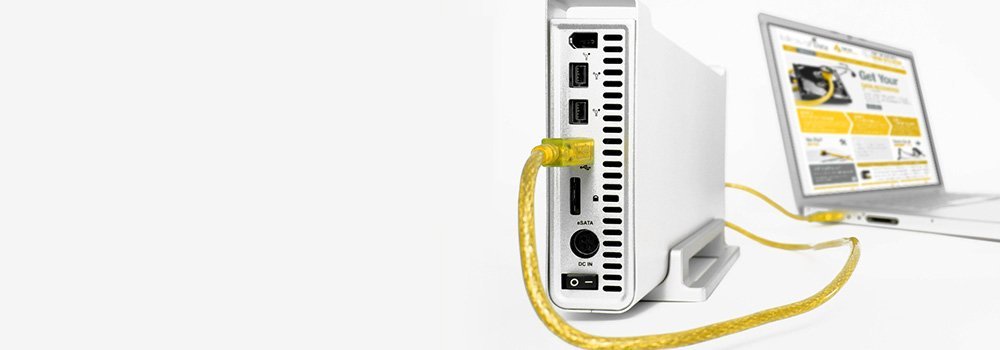





External Hard Drive Data Recovery Belfast
Our Belfast-based external hard drive data recovery services specialise in recovering data from all makes and models of external hard drives, regardless of the failure type. With over 25 years of experience, we ensure a secure and efficient recovery process to retrieve your valuable data.
External Hard Drive Brands We Recover From
We support all leading brands of external hard drives, including:
- Western Digital (WD): My Passport, My Book, Elements.
- Seagate: Backup Plus, Expansion, One Touch.
- Maxtor: OneTouch, DiamondMax.
- Transcend: StoreJet series.
- Toshiba: Canvio series.
- LaCie: Rugged, d2, Porsche Design.
- Samsung: T7, T5, QVO series.
- Buffalo: MiniStation, DriveStation.
- SanDisk: Extreme Portable SSD.
External hard drives come in various types, each designed for specific purposes and use cases. Here’s an overview of the main types of external hard drives based on their design, functionality, and features:
-
1. Portable External Hard Drives
- Description: Compact and lightweight drives designed for easy portability.
- Features:
- Small form factor, typically 2.5-inch drives.
- USB-powered, no external power supply needed.
- Storage capacity ranges from a few GB to several TB.
- Use Cases: Backup, file sharing, and on-the-go storage.
- Examples:
- Seagate Backup Plus Slim.
- WD My Passport.
2. Desktop External Hard Drives
- Description: Larger external drives with higher storage capacities.
- Features:
- Typically use 3.5-inch HDDs.
- Require an external power supply.
- Storage capacities often exceed 10TB.
- Use Cases: Long-term backups, media storage, and desktop setups.
- Examples:
- Seagate Expansion Desktop.
- WD Elements Desktop.
3. Solid-State Drives (SSDs)
- Description: External drives using SSD technology for faster performance and durability.
- Features:
- No moving parts, making them resistant to physical damage.
- Faster read/write speeds compared to HDDs.
- Compact and lightweight.
- Use Cases: High-speed data transfer, gaming, and professional workflows.
- Examples:
- Samsung T5 Portable SSD.
- SanDisk Extreme Portable SSD.
4. Network-Attached Storage (NAS) Drives
- Description: External drives designed to connect to a network rather than a single computer.
- Features:
- Accessible by multiple devices over a network.
- Often include multiple drives with RAID configurations for redundancy.
- Advanced features like remote access and cloud backup.
- Use Cases: Small businesses, home networks, and media servers.
- Examples:
- Synology DiskStation.
- WD My Cloud Home.
5. Rugged External Hard Drives
- Description: Drives designed to withstand harsh conditions like drops, shocks, and water exposure.
- Features:
- Shockproof and often water-resistant or waterproof.
- Usually portable and SSD-based for added durability.
- Use Cases: Outdoor use, travel, and rough environments.
- Examples:
- LaCie Rugged Mini.
- ADATA HD710 Pro.
6. Wireless External Hard Drives
- Description: Drives that connect to devices via Wi-Fi or Bluetooth rather than cables.
- Features:
- No need for direct connection to a computer or device.
- Built-in batteries for portability.
- Often include app support for managing data wirelessly.
- Use Cases: Mobile device storage expansion, media streaming.
- Examples:
- WD My Passport Wireless.
- Seagate Wireless Plus.
7. External RAID Drives
- Description: Drives that use RAID (Redundant Array of Independent Disks) configurations for performance or redundancy.
- Features:
- Contain multiple drives in one enclosure.
- Configurable RAID levels (e.g., RAID 0, 1, 5, 10).
- Higher capacities and fault tolerance.
- Use Cases: Professional media editing, enterprise backups, and data redundancy.
- Examples:
- LaCie 2big RAID.
- G-Technology G-RAID.
8. Gaming External Hard Drives
- Description: Drives optimized for gaming consoles and PCs.
- Features:
- High-speed performance for loading games quickly.
- Often preformatted for specific consoles (e.g., Xbox, PlayStation).
- RGB lighting or gaming aesthetics in some models.
- Use Cases: Storing large game libraries and expanding console storage.
- Examples:
- WD_BLACK P10 Game Drive.
- Seagate Game Drive for Xbox.
9. Encrypted External Hard Drives
- Description: Drives with built-in encryption for added data security.
- Features:
- Hardware or software-based encryption.
- May include fingerprint readers or password protection.
- Use Cases: Storing sensitive data securely.
- Examples:
- Apricorn Aegis Secure Key.
- WD My Passport Secure.
10. Hybrid Drives (HDD + SSD)
- Description: External drives combining HDD storage with SSD cache for improved performance.
- Features:
- HDD provides large storage capacity.
- SSD cache accelerates frequently accessed data.
- Use Cases: Balancing storage capacity and speed.
- Examples:
- Seagate FireCuda External Drives.
11. External Drives for Specific Devices
- Description: Drives designed for compatibility with specific devices or ecosystems.
- Features:
- Preformatted for specific operating systems (e.g., macOS, Windows).
- Connectivity options tailored to the device (e.g., Thunderbolt for Macs).
- Use Cases: Expanding storage for specific devices.
- Examples:
- G-Technology G-DRIVE for Mac.
- Samsung Portable SSD for Android.
Common External Hard Drive Failures We Recover From
We specialise in recovering data from a wide range of failures, including:
- Mechanical or Physical Failures:
- Head crashes, spindle motor issues, actuator arm malfunctions.
- Broken USB Ports:
- Connection issues due to damaged or loose USB ports.
- Software Issues:
- File system corruption, accidental deletion, or formatting errors.
- Bad Sectors:
- Damaged areas of the drive making files unreadable.
- Forgot Password/Encryption Issues:
- Recovering data from password-protected or encrypted drives.
- Cable Failure:
- Faulty cables causing intermittent connectivity issues.
- Firmware Corruption:
- Errors in the drive’s firmware preventing operation.
- Electrical Damage:
- PCB damage from power surges or static discharge.
- Overheating:
- Drive performance degraded or components damaged due to high temperatures.
- Platter Damage:
- Scratches or defects on the platter surface.
- Drive Motor Stuck or Failed:
- Preventing the platters from spinning.
- Human Error:
- Accidental deletion, formatting, or mishandling of the drive.
Supported Operating Systems
We recover data from external hard drives used with all major operating systems, including:
- Windows: XP, Vista, 7, 8, 10, 11, and Windows Server editions.
- Mac: Mac OS X, OS X, macOS (including macOS 11 Big Sur, 12 Monterey, and beyond).
- Linux: Ext3, Ext4, Btrfs, and other Linux file systems.
- Unix: All major Unix-based systems.
Why Choose Our External Hard Drive Recovery Services in Belfast?
- Expertise: Over 25 years of experience in data recovery.
- Comprehensive Solutions: From personal devices to enterprise-grade storage systems.
- Secure Process: Guaranteed data privacy and integrity during recovery.
If your external hard drive has failed, contact our Belfast team today to discuss your recovery needs. Let us help restore your important data quickly and securely!