





Laptop Hard Drive Data Recovery Belfast
Our specialised Laptop Hard Drive Data Recovery services in Belfast are designed to handle data recovery from all makes, models, and types of laptop hard drives. Whether the issue is mechanical, electrical, or software-related, our expert team ensures a secure and efficient recovery process for your critical data.
Supported Laptop Manufacturers
We recover data from laptops produced by all major manufacturers, including:
- Apple: MacBook, MacBook Air, MacBook Pro.
- Dell: Inspiron, XPS, Latitude, Alienware.
- HP: Spectre, Pavilion, Envy, EliteBook.
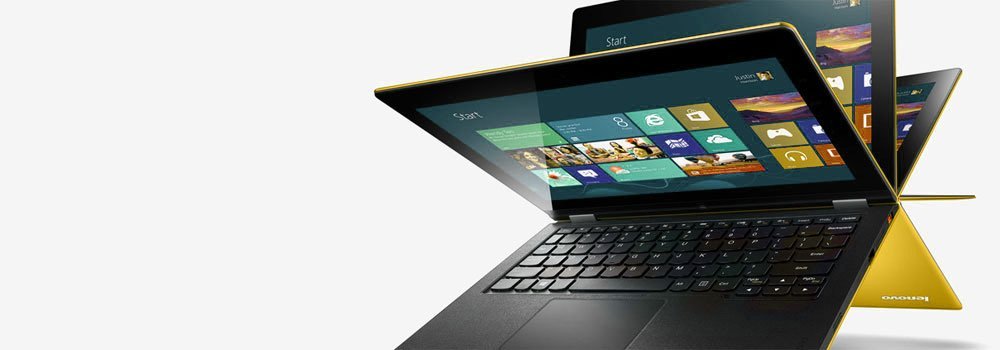
- Lenovo: ThinkPad, IdeaPad, Legion, Yoga.
- Microsoft: Surface Laptop, Surface Book.
- Asus: ROG, VivoBook, ZenBook, TUF Gaming.
- Acer: Aspire, Predator, Swift, Spin.
- Razer: Blade series.
- MSI: Stealth, Raider, Thin, Titan.
- Samsung: Galaxy Book, Notebook series.
Types of Laptop Hard Drives We Recover From
We handle recovery from all types of laptop hard drives, including:
- HDD (Hard Disk Drive): Traditional spinning-disk drives.
- SSD (Solid-State Drive): Modern, faster storage with no moving parts.
- Hybrid Drives (SSHD – Solid-State Hybrid Drive): Combining HDD and SSD technology.
- M.2 Drives: Compact drives used in ultrabooks and modern laptops.
- NVMe (Non-Volatile Memory Express) Drives: High-speed storage solutions.
- SATA Drives: Common interface for HDDs and SSDs.
- eMMC (Embedded MultiMediaCard): Integrated storage for lightweight laptops.
- U.2 Drives: Enterprise-grade SSDs.
- External Drives: Portable drives used for backup and additional storage.
Common Laptop Hard Drive Failures We Recover From
We recover data from a variety of failure scenarios, including:
-
1. Mechanical Failures
- Description: Failure of the moving parts inside a hard drive, such as the read/write head, spindle motor, or actuator arm.
- Symptoms:
- Clicking or grinding noises.
- Laptop fails to boot or recognise the hard drive.
- Causes:
- Physical shocks or drops.
- Normal wear and tear over time.
2. Logical Errors
- Description: Software-related issues that corrupt the file system or partition table, rendering the drive inaccessible.
- Symptoms:
- Drive appears but cannot be accessed.
- Error messages like “Disk not formatted” or “Drive needs to be formatted.”
- Causes:
- Improper shutdowns, virus attacks, or file system corruption.
3. Bad Sectors
- Description: Sections of the hard drive platter become unreadable, affecting data accessibility.
- Symptoms:
- Slow performance or inability to access certain files.
- Frequent system freezes or crashes.
- Causes:
- Physical damage, aging, or manufacturing defects.
4. Firmware Corruption
- Description: The hard drive’s internal software (firmware) becomes corrupted, preventing it from functioning properly.
- Symptoms:
- Drive is not recognized by the BIOS or operating system.
- Incorrect drive capacity is displayed.
- Causes:
- Firmware updates gone wrong or power interruptions during updates.
5. Overheating
- Description: Prolonged exposure to high temperatures damages the hard drive’s internal components.
- Symptoms:
- Drive performance degrades over time.
- Frequent crashes or system shutdowns.
- Causes:
- Poor ventilation, blocked air vents, or a failing laptop cooling system.
6. Power Surges or Electrical Failures
- Description: Damage to the drive’s electronics due to sudden spikes in power.
- Symptoms:
- Drive does not power on.
- Visible burns or damage on the circuit board (PCB).
- Causes:
- Power outages, faulty adapters, or unstable power sources.
7. Platter Damage
- Description: Physical scratches or defects on the hard drive platter where data is stored.
- Symptoms:
- Clicking sounds from the drive.
- Data loss or severe performance degradation.
- Causes:
- Head crashes or debris entering the drive.
8. Drive Motor Stuck or Failed
- Description: The spindle motor that spins the platters becomes stuck or fails completely.
- Symptoms:
- Drive emits no spinning sound or makes a faint buzzing noise.
- Drive is detected but inaccessible.
- Causes:
- Wear and tear, physical impact, or internal lubrication issues.
9. Solder Joint or Connection Failures
- Description: Failures in the electrical connections within the drive or its interface.
- Symptoms:
- Intermittent connectivity or drive not being detected.
- Drive works when repositioned but fails again later.
- Causes:
- Aging or poor manufacturing quality.
10. Human Error
- Description: Mistakes made during usage or maintenance that result in drive failure or data loss.
- Examples:
- Accidental formatting or deletion of files.
- Mishandling, such as dropping or exposing the drive to moisture.
- Incorrect drive installation or improper configuration.
- Symptoms:
- Data loss or corruption.
- Drive becomes unbootable or inaccessible.
Supported Operating Systems
We recover data from laptops running all major operating systems, including:
- Windows: XP, Vista, 7, 8, 10, 11, and Windows Server editions.
- Mac: Mac OS X, OS X, macOS (including macOS 11 Big Sur, 12 Monterey, and newer versions).
- Linux: Ext3, Ext4, Btrfs, and other Linux file systems.
- Unix: All major Unix-based systems.
Why Choose Our Laptop Data Recovery Services in Belfast?
- Expertise: Over 25 years of experience in laptop hard drive recovery.
- Fast Turnaround: Quick assessment and recovery to minimize downtime.
- Secure Process: Guaranteed privacy and data integrity throughout recovery.
If your laptop hard drive has failed, contact our Belfast team today. We are here to help you recover your data quickly and securely.